Word Search Ultimate PRO
LittleBigPlay - Word, Educational & Puzzle GamesWord
4.114.00 Reviews
- Version
- Varies With Device
- Installs
- 10.00K
- Age Rating
- Everyone
Screenshots
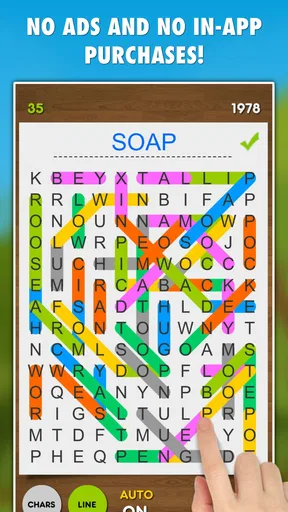

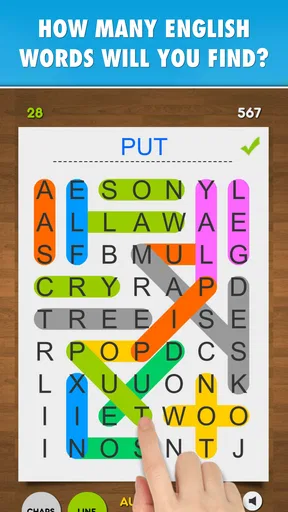
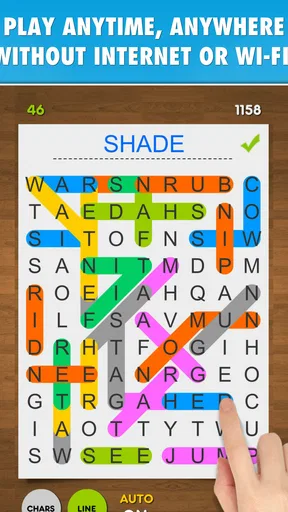
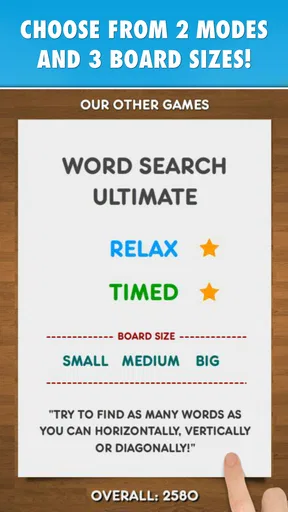
Our Review of Word Search Ultimate PRO
 Analysis by Appyee
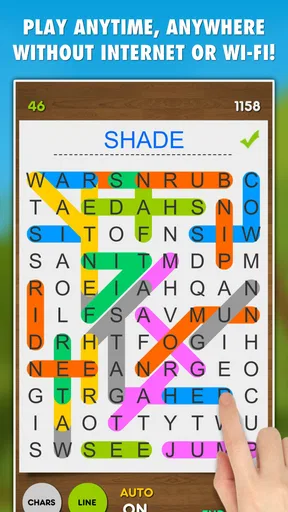
I tend to reach for a word search when I want something absorbing but uncomplicated: no long tutorial, no story to keep track of, just a grid and a little concentration. Word Search Ultimate PRO is aimed at that kind of break. Its clearest practical strength is that it can be played without an internet connection, which makes it a useful option when I’m away from Wi-Fi or simply want a puzzle that doesn’t depend on being online.
A word hunt that travels well
Offline play matters most in ordinary, slightly inconvenient moments: waiting for an appointment, riding as a passenger, or taking a break somewhere with poor reception. I can start a puzzle without first checking whether I have a connection, and that removes a small but real barrier to playing. It also makes the game easier to keep in mind as a just-in-case time filler rather than something I need to plan around.
That focus gives the game a different role from word apps built around online competition, social features, or regularly delivered content. If I want a quiet solo activity, being able to play without internet is a genuine advantage. If I specifically want live opponents or a shared leaderboard experience, an offline-first word search is not necessarily the better fit. The appeal here is independence, not a promise of constant social activity.
How I’d use it during a normal day
Picture a short wait between errands. I have a few minutes, don’t want to open a complicated game, and would rather pay attention to something than scroll through a feed. A word search suits that gap because I can focus on scanning the grid and stop when I need to move on. Offline access makes the situation especially straightforward: I don’t have to spend the first part of the break troubleshooting a connection.
For a longer session, I’d treat the game differently. Instead of rushing through a puzzle just to fill a spare minute, I’d use it as a deliberate concentration break: settle in, scan the rows and columns methodically, and pause if my eyes start skipping over letters. That small change in approach helps keep the activity relaxing. It’s also a useful reminder that a word search is not automatically a test of speed; the pleasure can come from noticing patterns at your own pace.
Choosing a word game that fits
Compared with word games that ask you to build words from a rack of letters, guess a hidden answer, or solve clues, a word-search grid has a more direct rhythm. You know what kind of task you’re doing: look for the words and trace them in the jumble. I find that makes this style a sensible choice when I want a low-friction puzzle, while clue-based games are often a better choice when I want to reason from definitions or stretch my vocabulary in a more open-ended way.
It also differs from a printed puzzle book in convenience. A phone is easier to carry than a book, and an offline game can work in places where connectivity is unreliable. A book, on the other hand, avoids screen time and never asks me to navigate a menu. Neither format wins for everyone. If I’m already trying to reduce phone use, paper may be the better companion; if I want a compact puzzle ready in my pocket, this game’s format makes more sense.
Getting Started with Word Search Ultimate PRO
First off, downloading Word Search Ultimate PRO is a breeze. It’s available for both Android and iOS, so no matter what device you’re using, you’re covered. Once you’ve got it installed, you’re greeted with a sleek and user-friendly interface that’s easy on the eyes. The developers really nailed it with the design—it’s simple yet appealing, perfect for diving straight into the puzzles without any fuss.
Diving Into the Gameplay
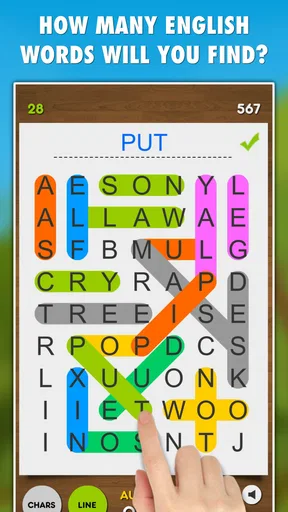
Now, let’s talk about what’s really important: the gameplay. The app offers a huge variety of puzzles, catering to all skill levels. Whether you’re a beginner or a seasoned word search veteran, there’s something for you. I was particularly impressed by the different categories available—everything from animals to astronomy. It keeps things fresh and exciting.
One feature I absolutely loved is the time challenge mode. It adds a thrilling twist to the traditional word search. You’re racing against the clock to find all the words, which really gets your adrenaline pumping. It’s perfect for those moments when you’re feeling competitive and ready to test your skills.
Customizable Experience
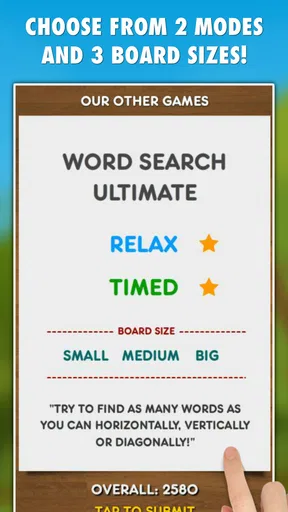
If you’re someone who likes to customize your gaming experience, you’re in luck. Word Search Ultimate PRO lets you tweak the settings to match your preferences. You can adjust the difficulty level, choose the grid size, and even pick the color scheme that suits your mood. It’s these little touches that make the app feel personal and engaging.
Those settings are worth using with a purpose rather than changing everything at once. When I’m playing casually, I’d choose a comfortable difficulty and a grid that feels easy to scan; when I want a sharper challenge, I’d raise the difficulty or choose a larger grid. Changing one setting at a time makes it easier to tell what actually improves the experience. A color scheme that looks attractive can still be tiring if the letters and background are hard to distinguish, so readability should come before novelty.
Why You'll Keep Coming Back
So, what makes this app stand out in a sea of word search games? For me, it’s the combination of variety and challenge. The puzzles are well-crafted, and the app is constantly updated with new content. Plus, there are daily challenges that keep you hooked and encourage you to improve your skills. It’s like having a never-ending supply of brain teasers right in your pocket.
Another standout feature is the hints system. If you ever find yourself stuck, you can use hints to reveal letters or even entire words. It’s a lifesaver when you’re on the verge of giving up, and it ensures that the game remains fun rather than frustrating.
When a hint helps—and when it doesn’t
I’d save a hint for the point where I’ve searched carefully and still can’t spot a word, rather than using one as soon as the grid feels difficult. A short reset can be just as useful: stop scanning in your usual direction, look for a distinctive letter in the target word, and check the surrounding lines from there. This is a practical way to keep the puzzle engaging without turning every tricky moment into a hint tap.
Hints also change the character of a puzzle. Revealing a letter can get me moving again while leaving most of the search to do; revealing an entire word is a bigger shortcut. If I’m playing for a relaxed finish, that may be exactly what I want. If I’m trying to challenge my attention, I’d hold off and use the hint only after a genuine attempt. The useful balance is to treat assistance as an escape hatch, not the main way through the grid.
Who will enjoy it most
This is a good match for people who already enjoy scanning letter grids, want a casual solo game, or need an activity that remains available without internet. The mix of adjustable difficulty and timed play gives it room for different moods: a slower puzzle when I want to unwind, or a clock-based round when I want more pressure. The store classifies it as a word game, it comes from LittleBigPlay - Word, Educational & Puzzle Games, and its Everyone age rating makes it broadly suitable for general audiences.
I’d be less likely to recommend it to someone who gets bored by searching rather than forming or guessing words. If the appeal of a word game is clever clues, a narrative, or direct competition with other players, this may feel too focused on one basic activity. It is also not the right choice for someone who wants every session to be connected or social. The central question is simple: do you enjoy finding words in a grid? If not, extra settings won’t change the underlying task.
What to know before installing
The game costs $1.49, has an average rating of 4.1 from 163 ratings, and has passed 10K+ installs. It was released on Aug 30, 2018, and supports Android from version 2.3. Those details place it as an established, paid option rather than a free download to try without thinking about cost. I’d weigh that price against how often I actually play word searches: for someone who returns to this puzzle format, paying once for a focused game can feel reasonable; for an occasional player, a free alternative may be the safer choice.
One practical question is whether offline play makes it suitable for every trip. It means the game can be played without internet, which is valuable when reception drops, but I would still install it and open it before heading somewhere remote. That is a simple habit for any game I plan to rely on away from home: confirm it launches and that I can reach the kind of puzzle I want before I’m counting on it to fill a long wait.
Another question is whether the game works for both beginners and experienced players. The adjustable difficulty and grid size are useful ways to tune the challenge, while timed play offers a more demanding pace. I’d start with settings that let me read the board comfortably, then raise the challenge only if I’m finishing too easily. That is more satisfying than beginning at a punishing level and deciding the whole game is frustrating.
Final Thoughts
All in all, Word Search Ultimate PRO is a fantastic app for anyone who loves word puzzles. It’s got everything you need: a great variety of puzzles, exciting gameplay modes, and customization options to make it your own. Whether you’re looking to pass the time or give your brain a workout, this app has got you covered. Trust me, once you start playing, it’s hard to put it down. Happy puzzling!
My recommendation comes with one clear condition: choose it because you like word searches, not because you expect a different kind of word game to emerge after installation. Its strongest practical case is a ready-to-play grid for quiet breaks, especially when connectivity is unreliable. If that describes the way you use your phone, the combination of selectable challenge, timed play, and hints gives you a few ways to shape a familiar puzzle. If you want social competition, clue-solving, or a screen-free pastime, I’d choose another option instead.
Verdict
Strengths of Word Search Ultimate PRO
- Extensive word library for varied gameplay.
- Smooth, user-friendly interface design.
- Offline mode available for on-the-go play.
- Customizable themes enhance visual appeal.
- Adaptive difficulty levels suit all players.
Limitations of Word Search Ultimate PRO
- Limited daily puzzles can restrict playtime.
- Ads may appear in free version occasionally.
- No multiplayer mode for competitive play.
- In-app purchases can be expensive.
- Lacks integration with social media platforms.
Other Releases by LittleBigPlay - Word, Educational & Puzzle Games
View All


Similar Picks in This Category
View All
Word Search - Word Puzzle Game
Bluetile4.8

Word Search Quest - Puzzles
Blackout Lab4.8

CodyCross: Crossword Puzzles
Fanatee, Inc.4.7

Words of Wonders: Crossword
Fugo Games4.9

Wordscapes: Word puzzle game
PeopleFun4.7

Word Search Explorer
PlaySimple Games4.9
Frequently Asked Questions
What is Word Search Ultimate PRO and how does it differ from other word search games?
Word Search Ultimate PRO is a premium word search game offering a vast collection of challenging puzzles with various themes. Unlike standard word search games, it features advanced difficulty levels, customizable grids, and exclusive puzzle packs. The PRO version also ensures an ad-free experience, providing uninterrupted gameplay for users who enjoy a more immersive challenge.
Is Word Search Ultimate PRO suitable for all age groups?
Yes, Word Search Ultimate PRO is designed for players of all ages. It features multiple difficulty levels, making it suitable for beginners as well as seasoned word search enthusiasts. Parents can rest assured that the game is family-friendly, with themes and word choices appropriate for children and adults alike.
Can I play Word Search Ultimate PRO offline?
Absolutely! One of the advantages of Word Search Ultimate PRO is its offline capability. Once downloaded, you can enjoy all the puzzles without needing an internet connection, making it perfect for on-the-go entertainment, whether you're traveling or simply in an area with limited connectivity.
Does Word Search Ultimate PRO offer any customization options?
Yes, Word Search Ultimate PRO provides several customization options. Players can choose the grid size, adjust the difficulty level, and select from a variety of themed word lists. This flexibility allows users to tailor their gaming experience to their personal preferences, ensuring that the game remains engaging and challenging.
Are there any in-app purchases in Word Search Ultimate PRO?
Word Search Ultimate PRO is a paid app, which means there are no in-app purchases required to access additional features or puzzle packs. The one-time purchase grants you full access to all content, ensuring a complete and uninterrupted gaming experience without any hidden fees or extra charges.
Play our best games!


